
Money in
Billing and Payments
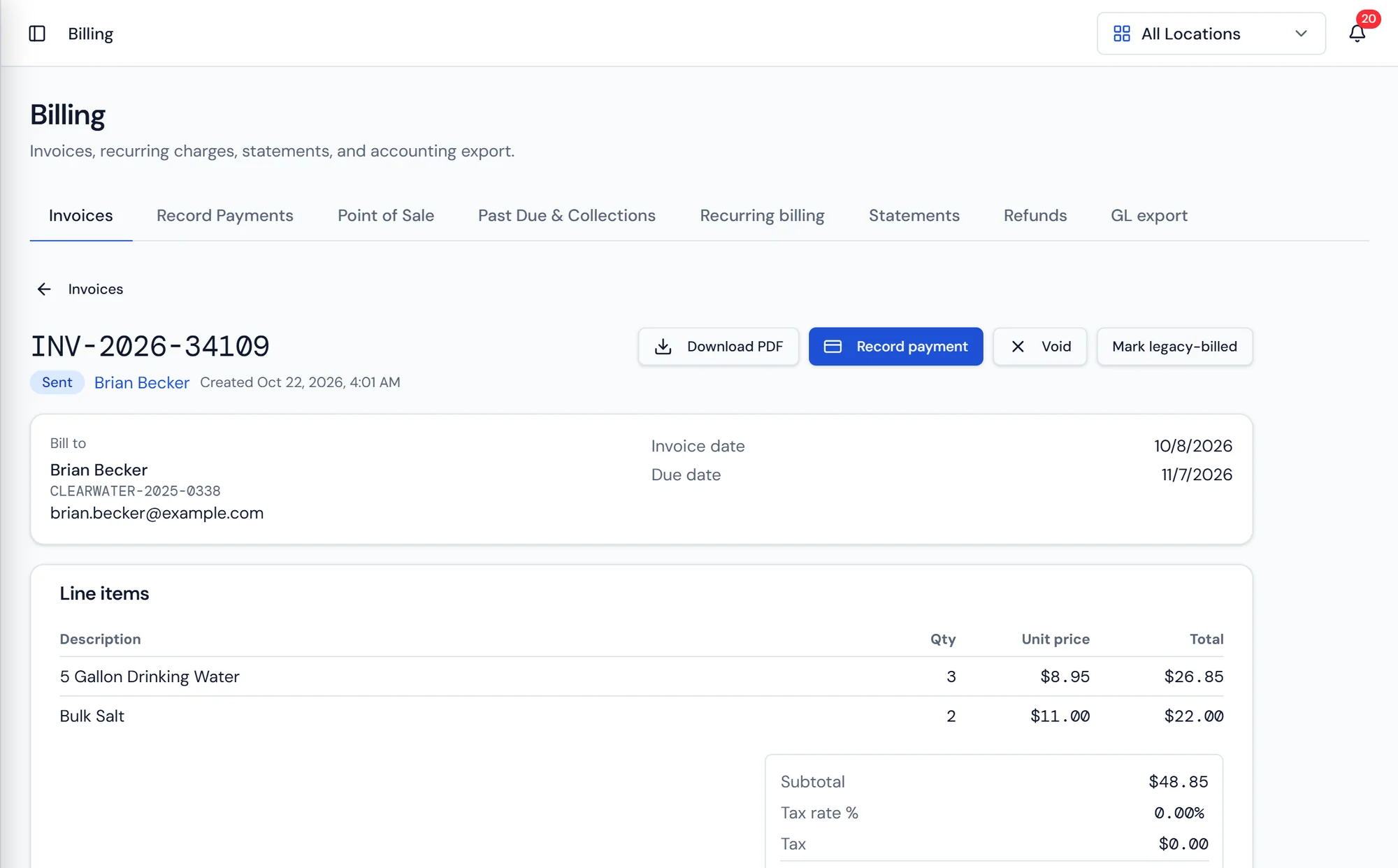
An invoice with its line items, tax, payments applied, and balance due.
What it does
Billing that follows the operation
Invoices in Purio have a real lifecycle rather than a paid checkbox. An invoice starts as a draft, becomes sent when it reaches the customer, and then settles as paid, partially paid, past due, or voided. Every other part of billing reads that status. Statements, aging, collections, and revenue reporting all agree, because they are all looking at the same field.
Invoices are generated three ways. Recurring billing produces them on a schedule, which is how rental charges, monthly service plans, and standing bottle deliveries bill without anyone opening a screen. A completed work order produces one from its line items, so what the tech recorded is what the customer is charged. A counter sale produces one at the point of sale, for the customer who drives in for salt.
Payments come in by card, ACH, check, and cash. Batch payment entry exists because a commercial customer with six open invoices sends one check. Record the payment once and apply it across the open invoices in a single pass, instead of splitting it by hand and hoping the totals reconcile. Saved cards and bank accounts on the customer record cover recurring charges and portal self service.
Recurring billing
Charges that generate themselves
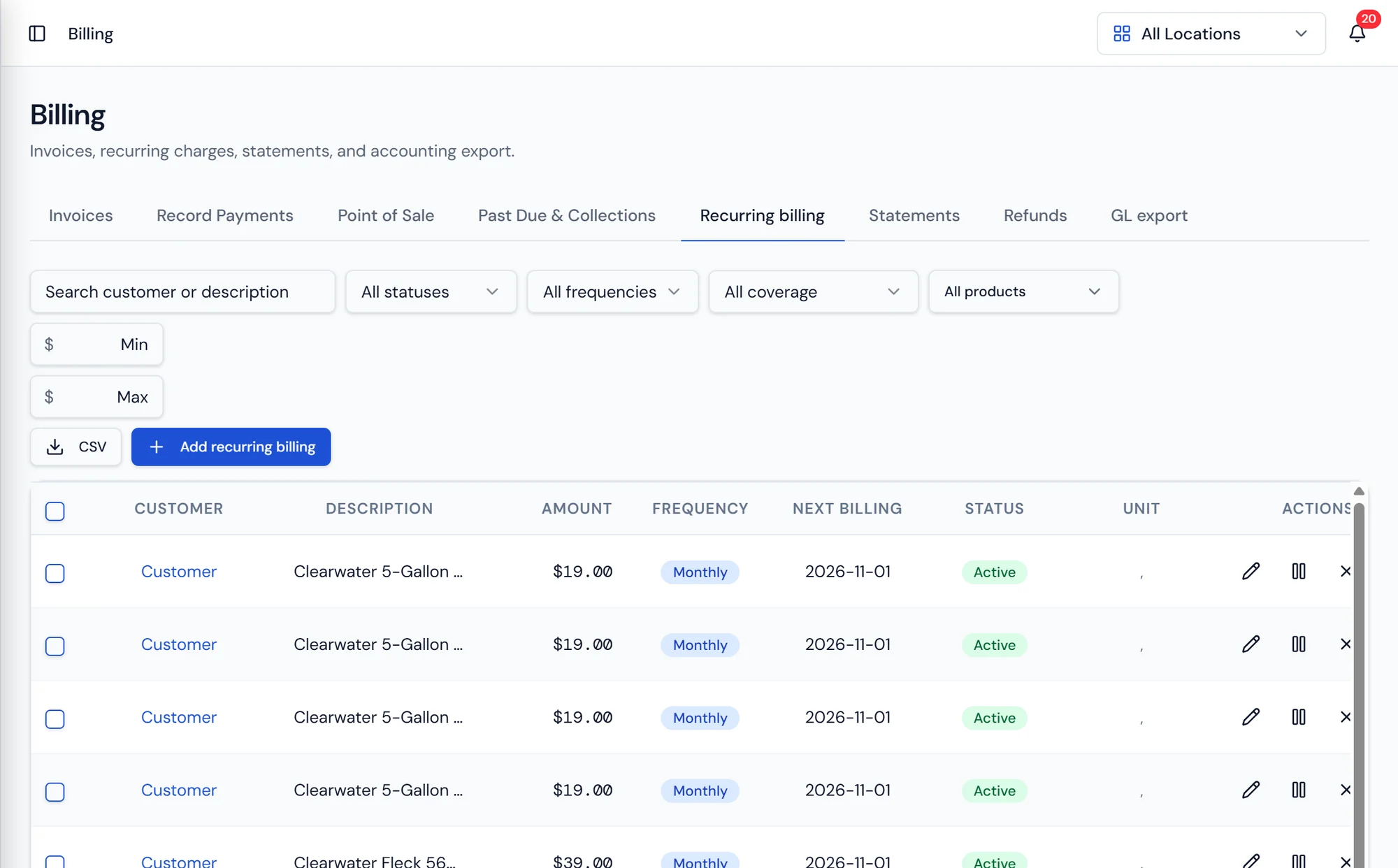
Recurring billing entries live on the customer account with their description, amount, and schedule. Rental equipment, service plans, and standing deliveries all bill on time without a person remembering.
Because rentals connect back to the deployed unit, picking the equipment up ends the charge on the record rather than leaving a customer billed for a cooler that is sitting in your warehouse.
Point of sale
The counter, with bottle deposits handled
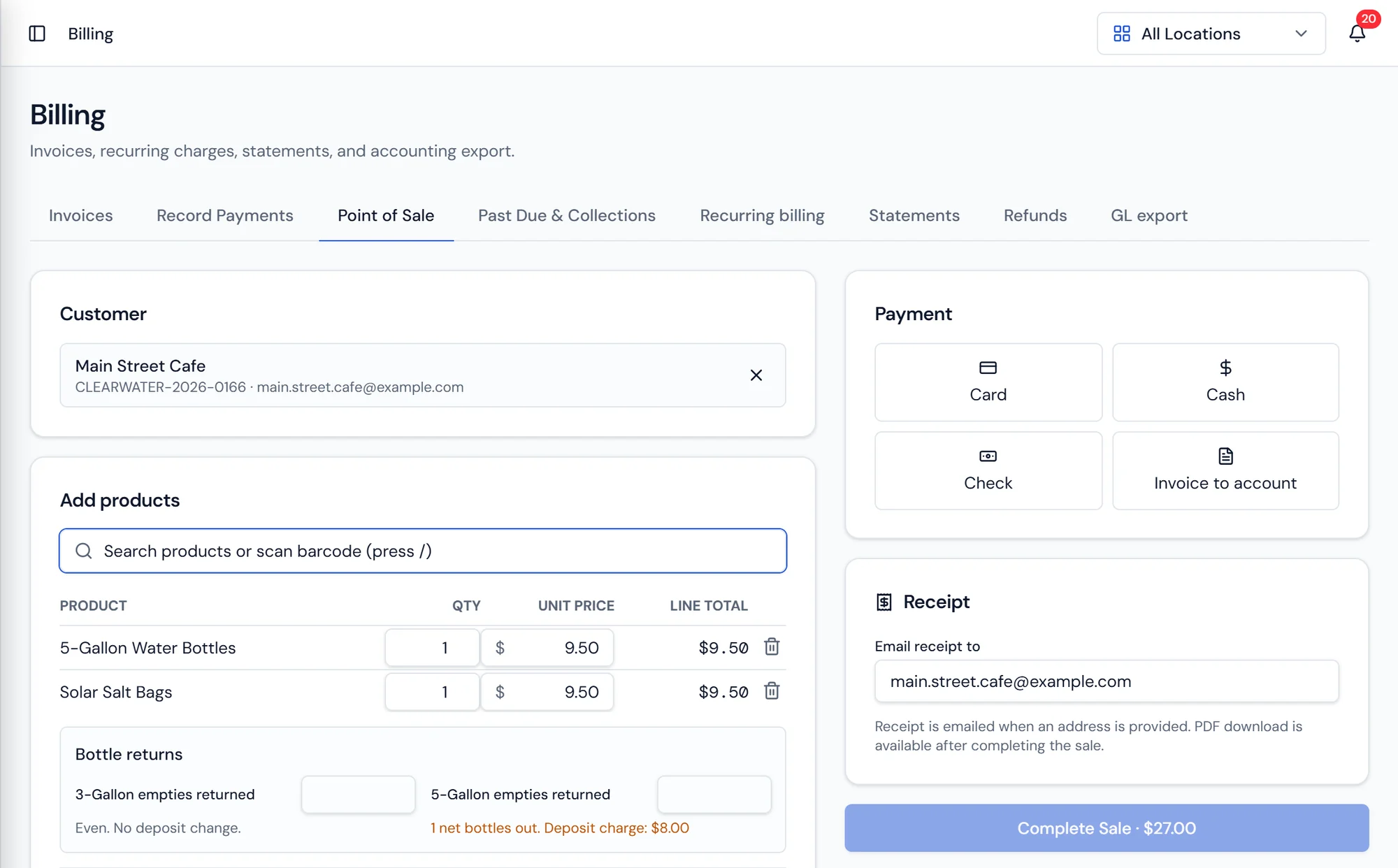
Ring up a walk in from the Billing screen. Search products or scan a barcode, set quantities, and mark a line as delivery or pickup. Coolers, salt, and bottles all sell the same way.
Bottle returns are part of the sale rather than a note somewhere. Enter the three gallon and five gallon empties coming back, and Purio works out the net bottles out and adds the deposit charge, so the totals and the deposit liability stay honest.
Taking the money
Card, cash, check, or straight to the account
Pick the payment method at the counter. Card processing opens the payment sheet, cash and check record directly, and invoice to account puts the sale on the customer's balance instead.
A receipt emails to the address on the account and a PDF is available after the sale. Recent transactions list what was sold, by whom, how it was paid, and whether the receipt went out.
What's included
Invoice lifecycle
Draft, sent, paid, partially paid, past due, and voided as real statuses.
Recurring billing
Scheduled charges for rentals, service plans, and standing deliveries.
Work order invoicing
Completed jobs generate the invoice from their own line items.
Point of sale
Counter sales with product search, barcode scanning, and delivery or pickup lines.
Bottle deposits
Empties returned against bottles out, with the deposit charge calculated for you.
Receipts
Emailed to the customer, with a PDF available after the sale.
Transaction history
Recent counter sales with customer, total, method, and receipt status.
Card and ACH
Take cards and bank payments, and save them for recurring use.
Check and cash
Record the payments that still arrive in an envelope or at the counter.
Batch payment entry
Apply one payment across several open invoices in a single pass.
Payments in the field
Drivers, techs, and reps take card or ACH payments that post to the account the same day.
Statements
Sent per customer by email or mail, with each property's balance and an overall total, or one statement per property.
Batch payment entry
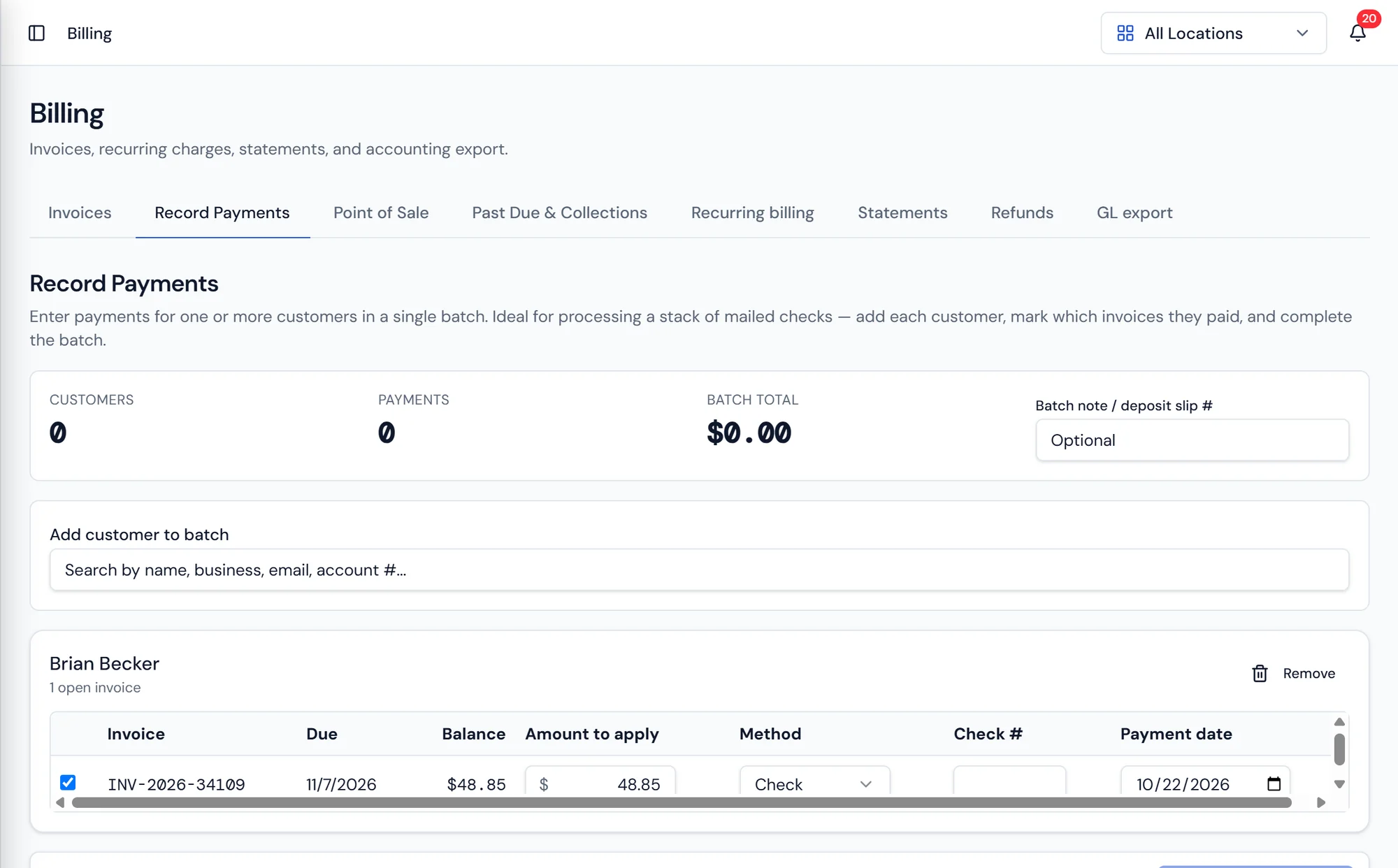
One check, applied across the open invoices
A commercial customer with six open invoices sends one check. Record the payment once and apply it across those invoices in a single pass instead of splitting it by hand.
Card, ACH, check, and cash all record the same way, so the balance on the account and the revenue report agree without a reconciliation step.
Billing questions dealers ask
Where the money data comes from
Customers and CRM
One customer record holding properties, equipment, billing setup, and full service history.
Learn moreCustomer Portal
Customers view their account, pay invoices, and request service online.
Learn moreReporting
A reports hub organized by category, scoped by location, and exportable.
Learn more
See a month of billing run end to end.
Invoices, autopay, counter sales, and deposits in one ledger.