
Customer messaging
Communications
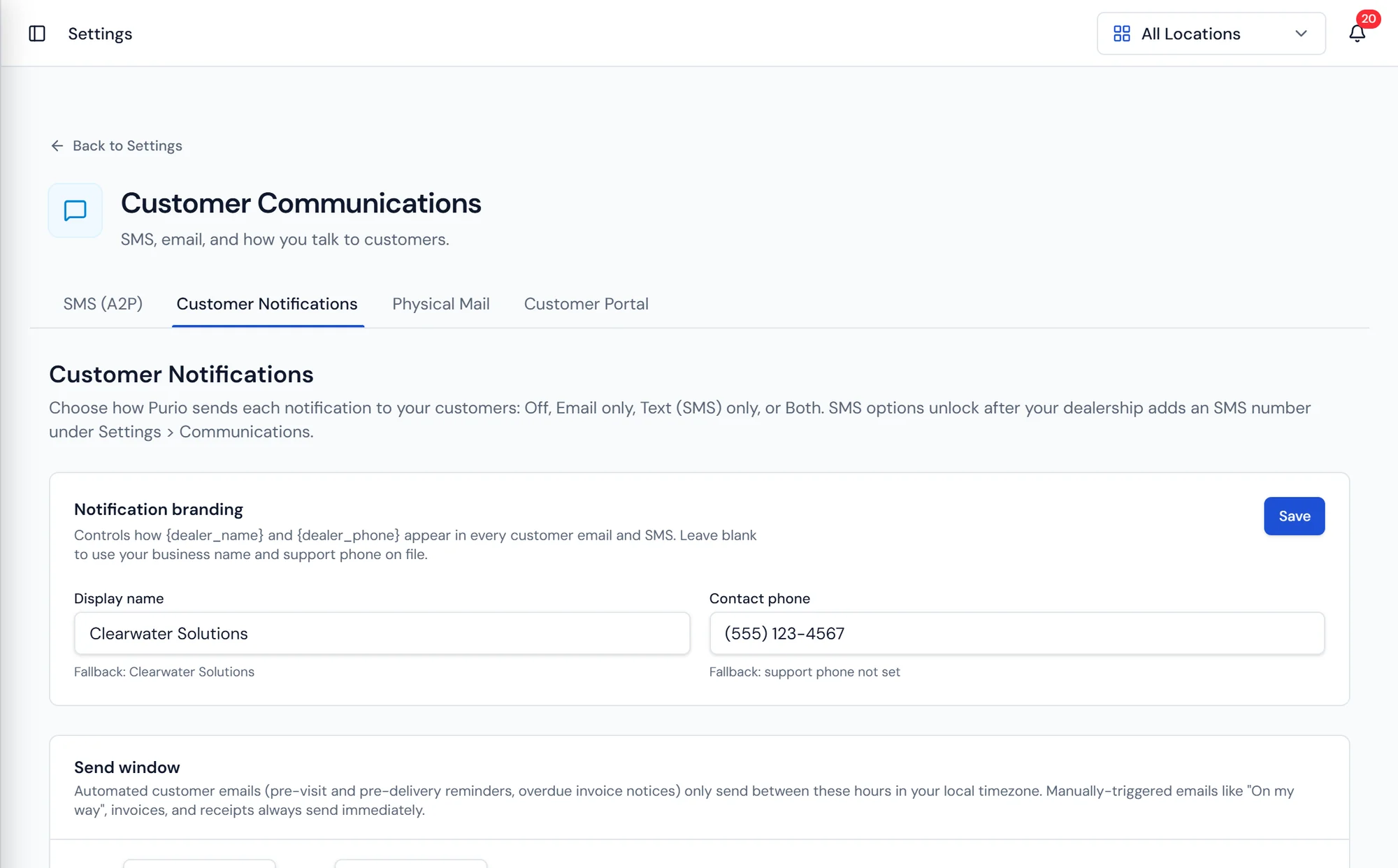
Notification settings, where each message type is enabled and worded per dealership.
What it does
Messages that come from real events
Purio sends customer notifications off the work your team is already doing. An appointment reminder goes out ahead of a scheduled work order. An on my way message fires when the driver or the tech marks on my way in the mobile app, the same action that moves the stop forward for the office. A completion notice goes out when the job is closed. Invoice delivery follows billing, and past due notices follow aging.
Every one of those is independently controlled. A dealership that has always called ahead can leave reminders off. A dealership that wants delivery day notice but nothing else keeps one switch on. Nothing is bundled together, so turning on the messages you want does not force out messages you do not.
Wording and branding are set by your dealership. The messages carry your name and your voice, because a customer who gets a text about a water delivery should recognize immediately who it is from.
What's included
Appointment reminders
Sent ahead of a scheduled work order or service visit.
On my way messages
Fired with an ETA by the driver or tech in the field.
Completion notices
Confirmation to the customer once the job is closed out.
Invoice delivery
Invoices sent by the method each customer prefers.
Statement delivery
Statements delivered per customer preference, email or print.
Past due notices
Automatic follow up on aging invoices with your wording.
Per notification control
Switch each message type on or off independently.
Dealership wording
Message copy and branding configured by your business.
What dealers ask about messaging
What sends the messages
Scheduling and Work Orders
A calendar of work orders and service appointments by day and by tech.
Learn moreMarketing and Lead Capture
Physical mail campaigns, tracked QR codes, and hosted lead forms.
Learn moreCustomer Portal
Customers view their account, pay invoices, and request service online.
Learn more
Stop fielding calls that ask where is my delivery.
Automatic updates from the same routes and work orders your team already runs.