
Getting work done
Scheduling and Work Orders
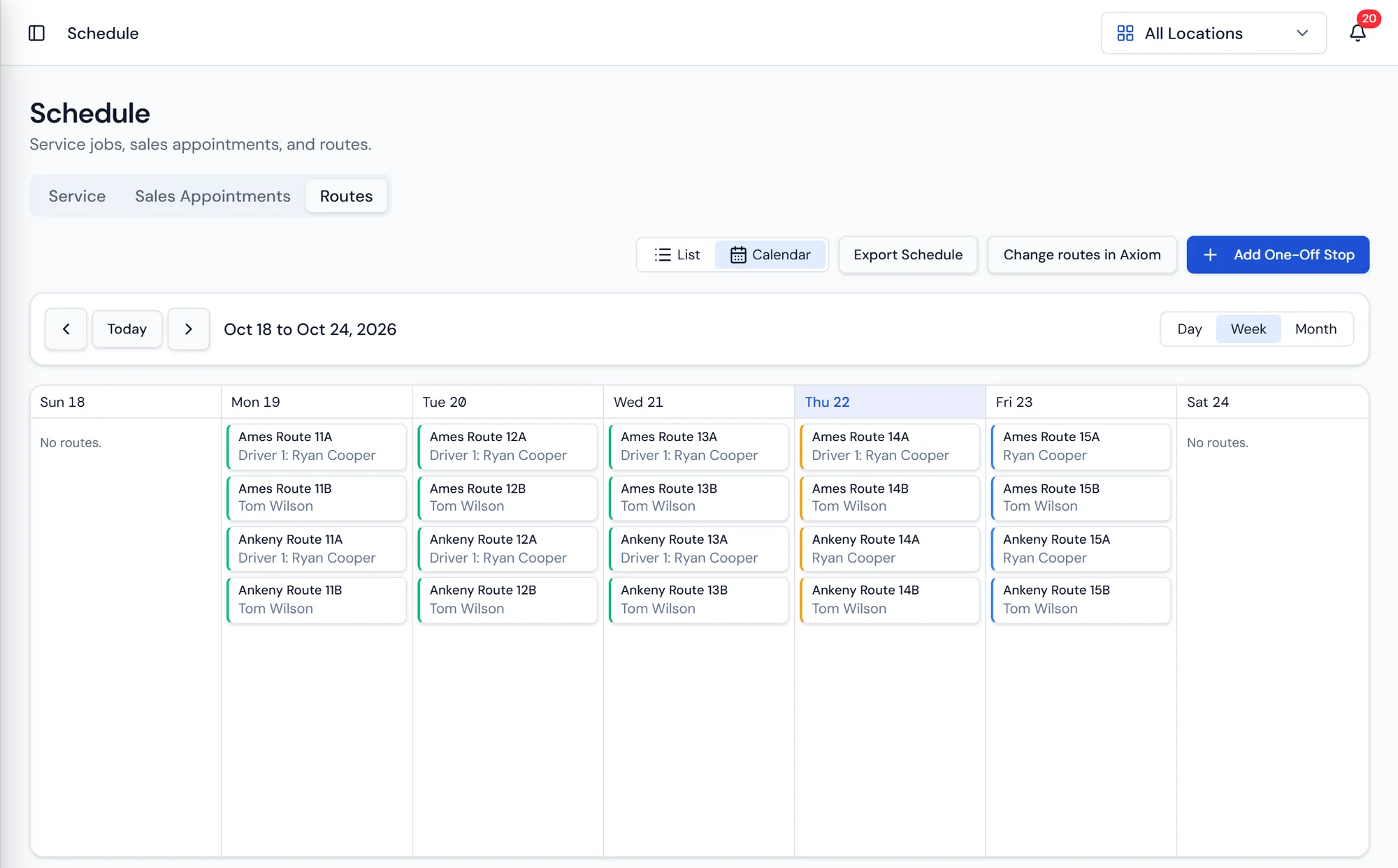
The week by day and by tech, with routes and service jobs visible together.
What it does
The day the office and the field both work from
The calendar holds work orders and service appointments and can be read by day or by tech. That is how a dispatcher balances a week: seeing that Tuesday has three installs stacked on one person while another tech has an open afternoon, and moving one before the customer ever hears about it.
A work order is a scheduled job on a customer's property. Installs, service calls, pickups, and delivery adjacent jobs such as a salt drop that needs a person rather than a truck slot are all work orders. They are deliberately separate from route stops. A stop is part of a route day from Axiom Routing that a driver works in sequence, while a work order is an appointment a service tech owns. Keeping them distinct is what lets you dispatch a tech to a broken cooler without disturbing the route the property normally sits on.
Each work order carries the customer, the property, the schedule, the assigned tech, and its line items. Checklists ride along so the tech confirms each required step in the field from the tech app rather than remembering it in the truck afterward. The completed checklist stays attached as the record of what happened.
Work order detail
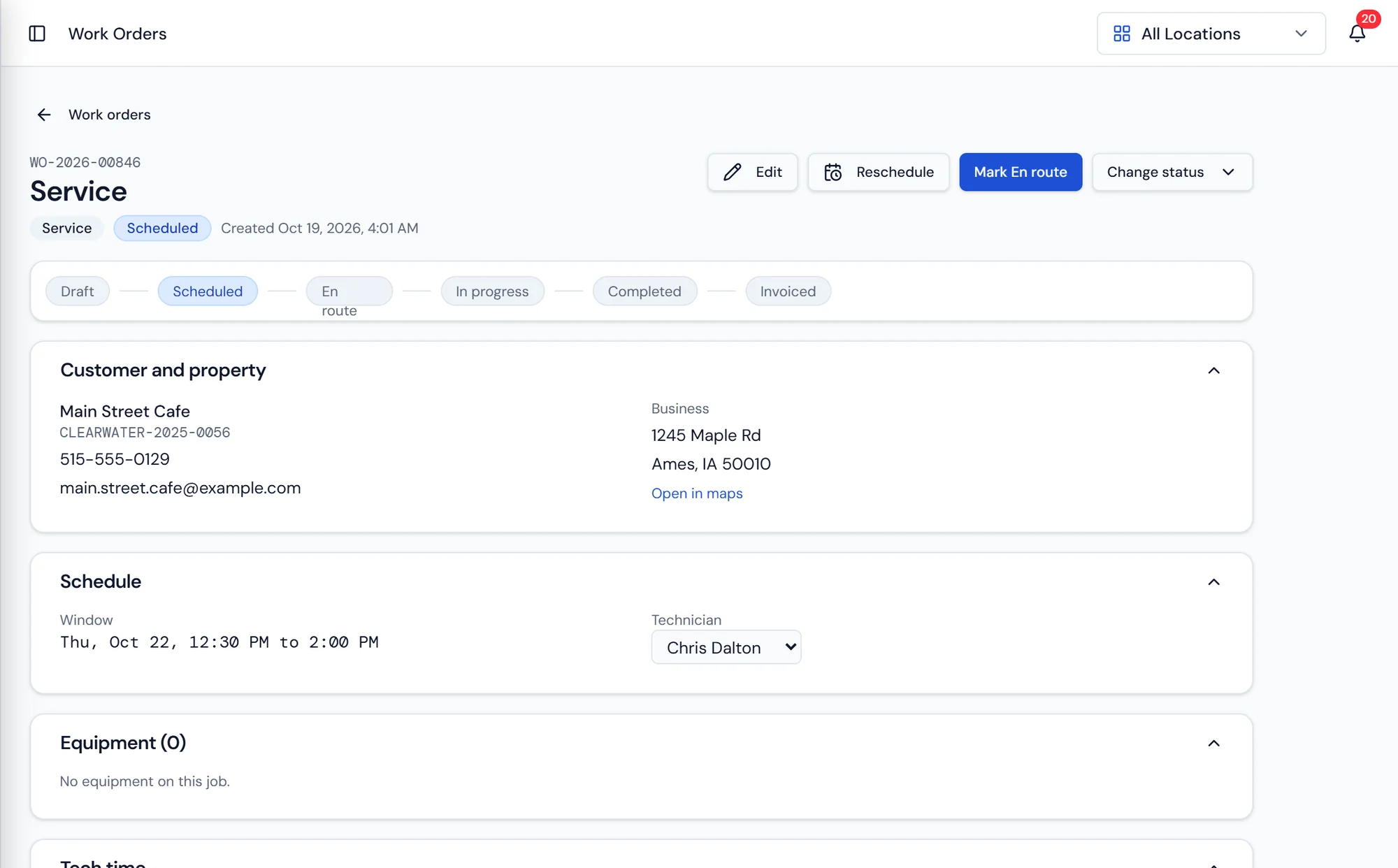
Everything about the job in one record
The work order shows the customer and the property, the scheduled window and assigned tech, the checklist, and the line items that will become the invoice.
Because it is tied to the customer record, the tech sees the equipment already at that property and the history of what has been done to it.
What's included
Day and tech calendar
Read the week by date or by technician and rebalance before it goes wrong.
Installs
Schedule the install that follows a signed agreement and deploy the unit on completion.
Service calls
Dispatch a tech to a property without touching the delivery route it sits on.
Pickups
Retrieve rental equipment and close out the unit on the customer's record.
Field checklists
Required steps the tech completes in the app, saved to the work order.
Line items
Parts and labor recorded on the job, which become the invoice.
Invoice on completion
Closing the work order generates the invoice on the customer's account.
Appointment reminders
Automatic reminders ahead of the visit, on or off per dealership.
Scheduling questions dealers ask
What a work order touches
Equipment and Rentals
Serialized units tracked individually, whether they are on rent or sold.
Learn moreBilling and Payments
Invoices, recurring billing, payments, statements by property, collections, and a GL export.
Learn moreCommunications
Automatic customer notifications, SMS, and physical mail in one place.
Learn more
Schedule the work and watch it close itself out.
Dispatch, technician notes, signatures, and billing in one pass.