
Getting found
Marketing and Lead Capture
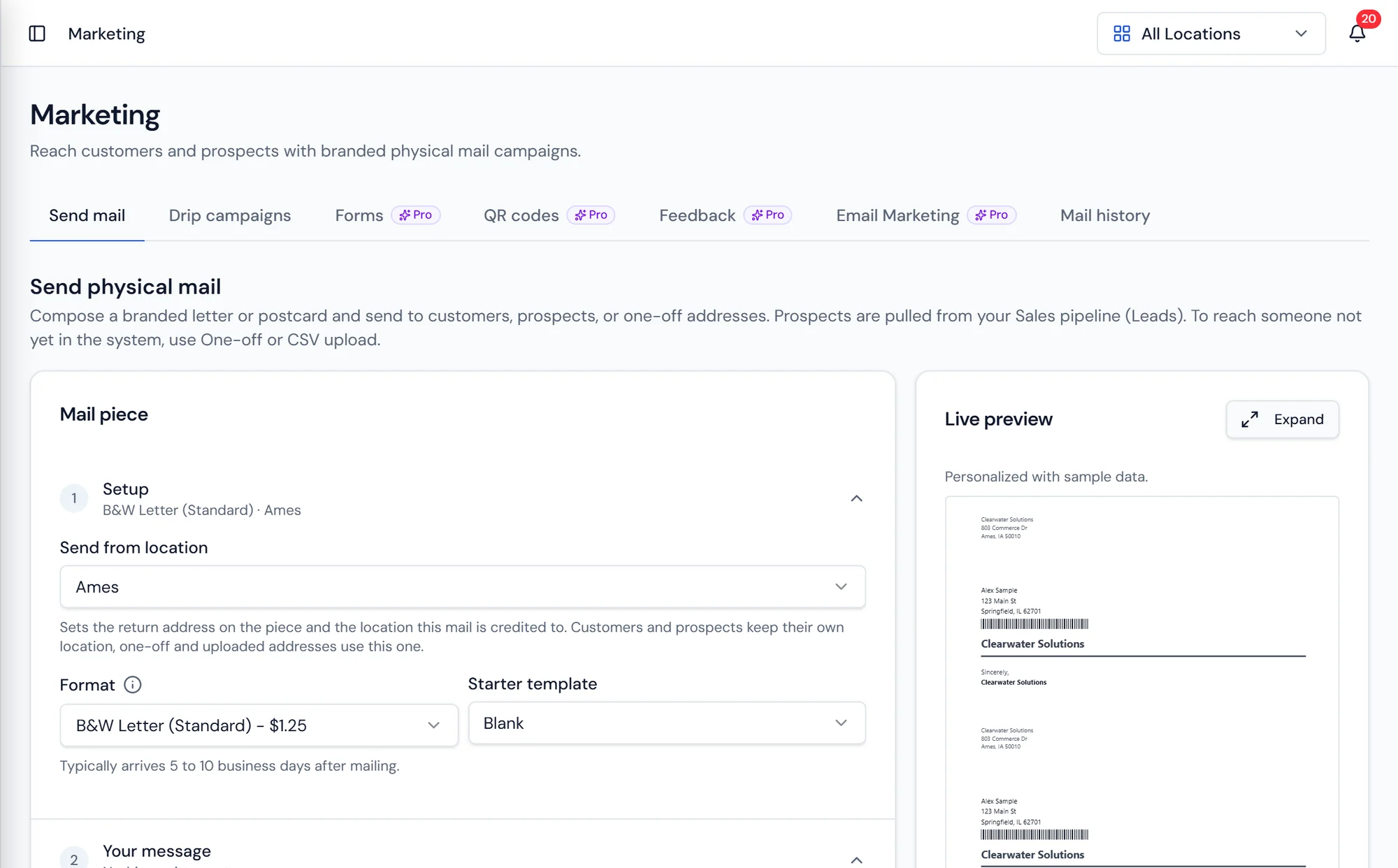
The mail composer, with a live preview of the piece as the campaign is built.
What it does
A loop that closes
Physical mail has three states. Off means nothing sends. Manual means pieces are queued and a person approves the drop. Live means approved campaigns print and mail on their schedule. Nothing prints until the state says it should.
Most dealership marketing breaks at the seam between the piece that went out and the deal that came in. Purio keeps them connected. A campaign is built in the composer against a mailing list, either your own customer data filtered the way you would filter any list, or a one off recipient list for a prospecting drop into a neighborhood you want. The live preview shows the piece as it will print.
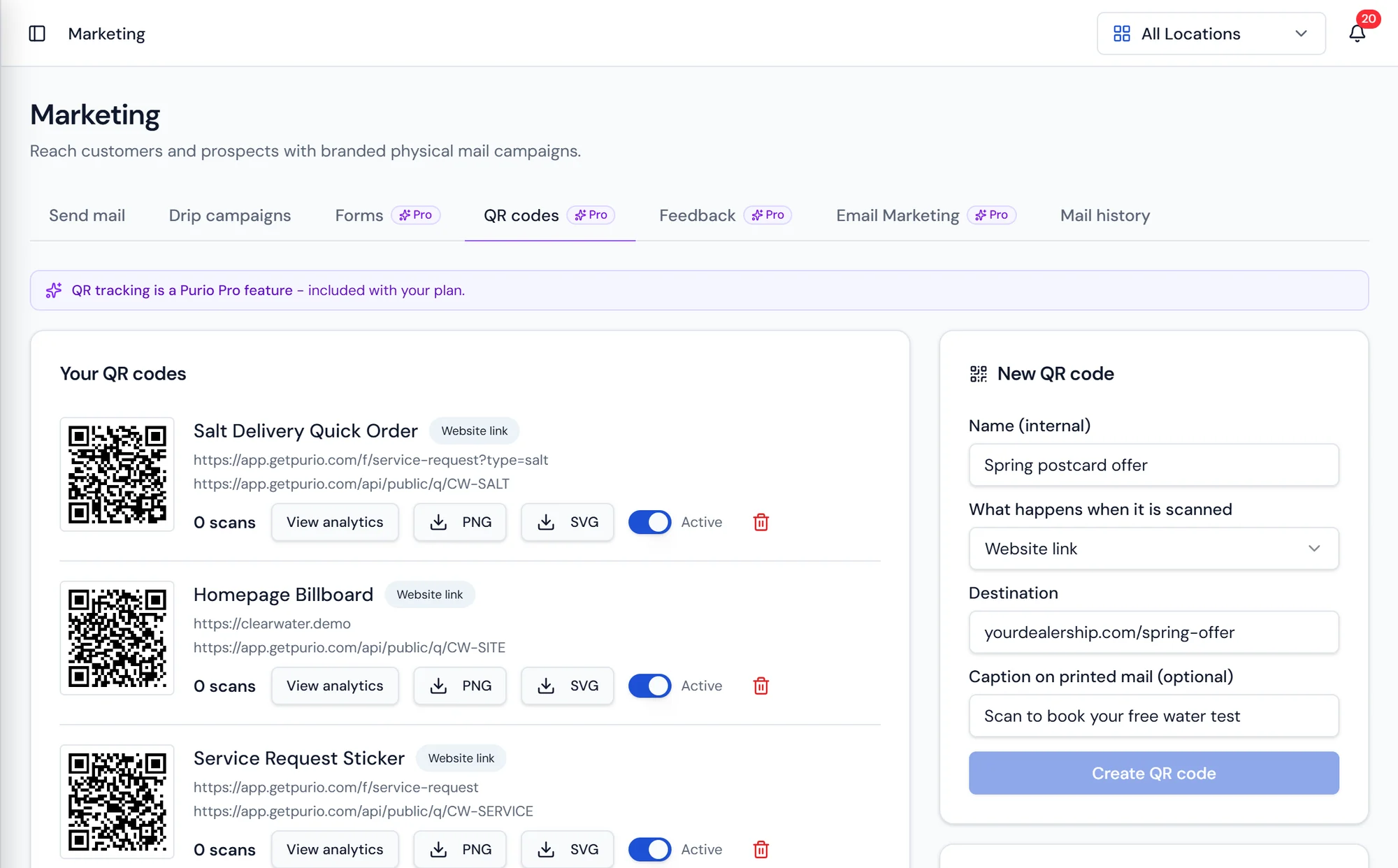
A tracked QR code goes on the piece. Each code is a record of its own, so scans are counted against it, and codes can be reused across signage, door hangers, and vehicle wraps as well as mail. Pointing a code at a hosted form is what turns a scan into something you can work.
Tracked QR codes
One code, counted end to end
Create a code for a mailer, a yard sign, or a truck wrap, and Purio counts the scans against it. Point it at a hosted form and the leads that come back carry the code with them.
Because the code stays on the lead through every pipeline stage, closed revenue rolls up to the campaign that produced it.
What's included
Physical mail campaigns
Build and send printed pieces to a list from inside Purio.
Three mail states
Off, Manual, and Live decide whether pieces actually print.
Customer list targeting
Mail your own customers, filtered the way you filter any list.
One off recipient lists
Prospect into a neighborhood with a supplied list.
Live piece preview
See the mailer as it will print while you build it.
Tracked QR codes
Individual codes with scan counts, usable on mail and signage.
Hosted lead forms
Public forms that anyone can submit without a login.
Form builder with preview
Build the fields and see the form as the customer will.
Form builder
Build the form and see what the customer sees
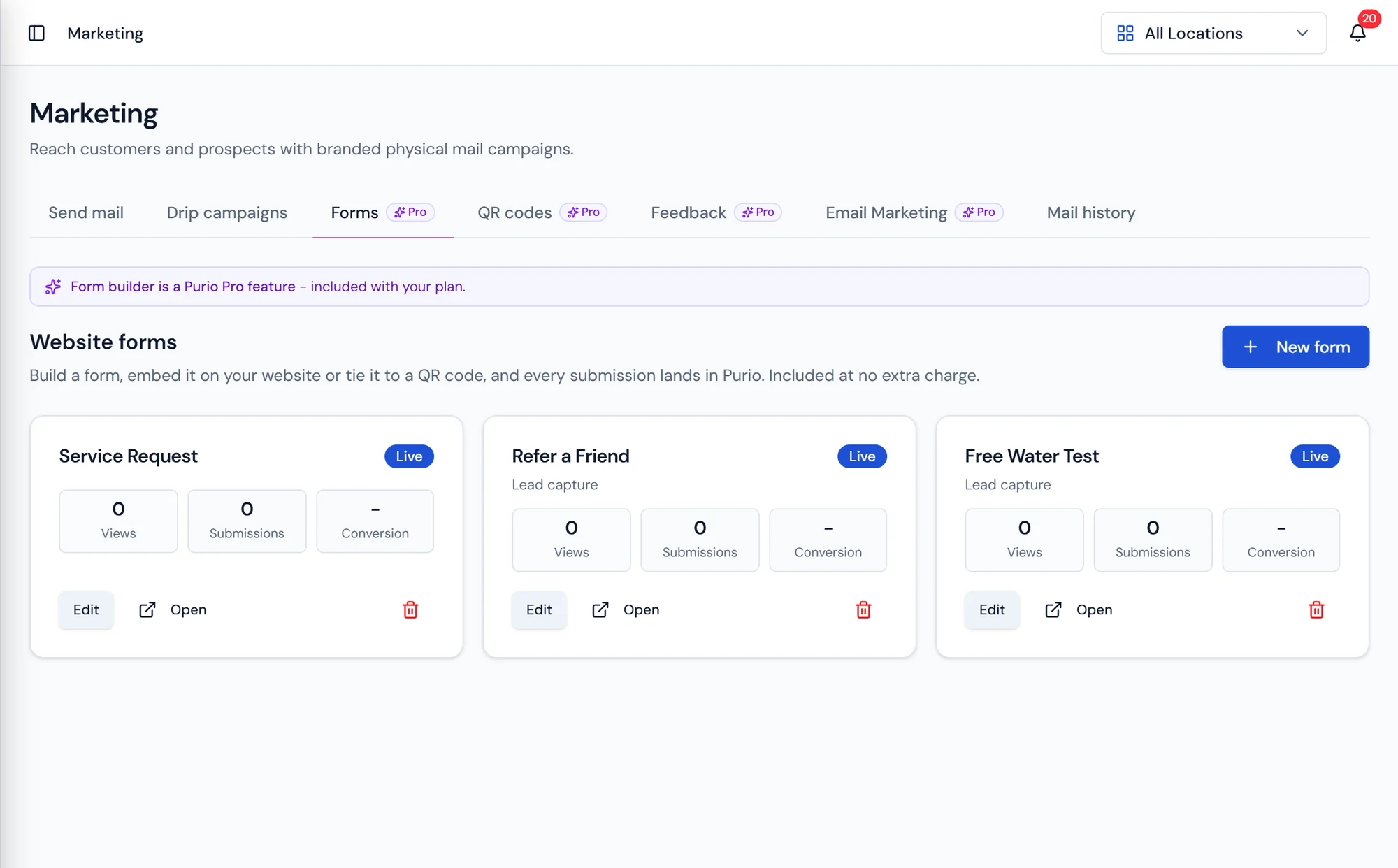
Set the fields on the left and the hosted form renders beside them exactly as a prospect will meet it, so nothing goes live untested.
Point a tracked QR code at the form and every submission arrives in the pipeline carrying the code that produced it.
Questions about marketing tools
Where new leads go next
See which campaign actually produced the customer.
Mail, QR codes, and forms that land straight in the pipeline.