
Stock and production
Inventory and Bottling
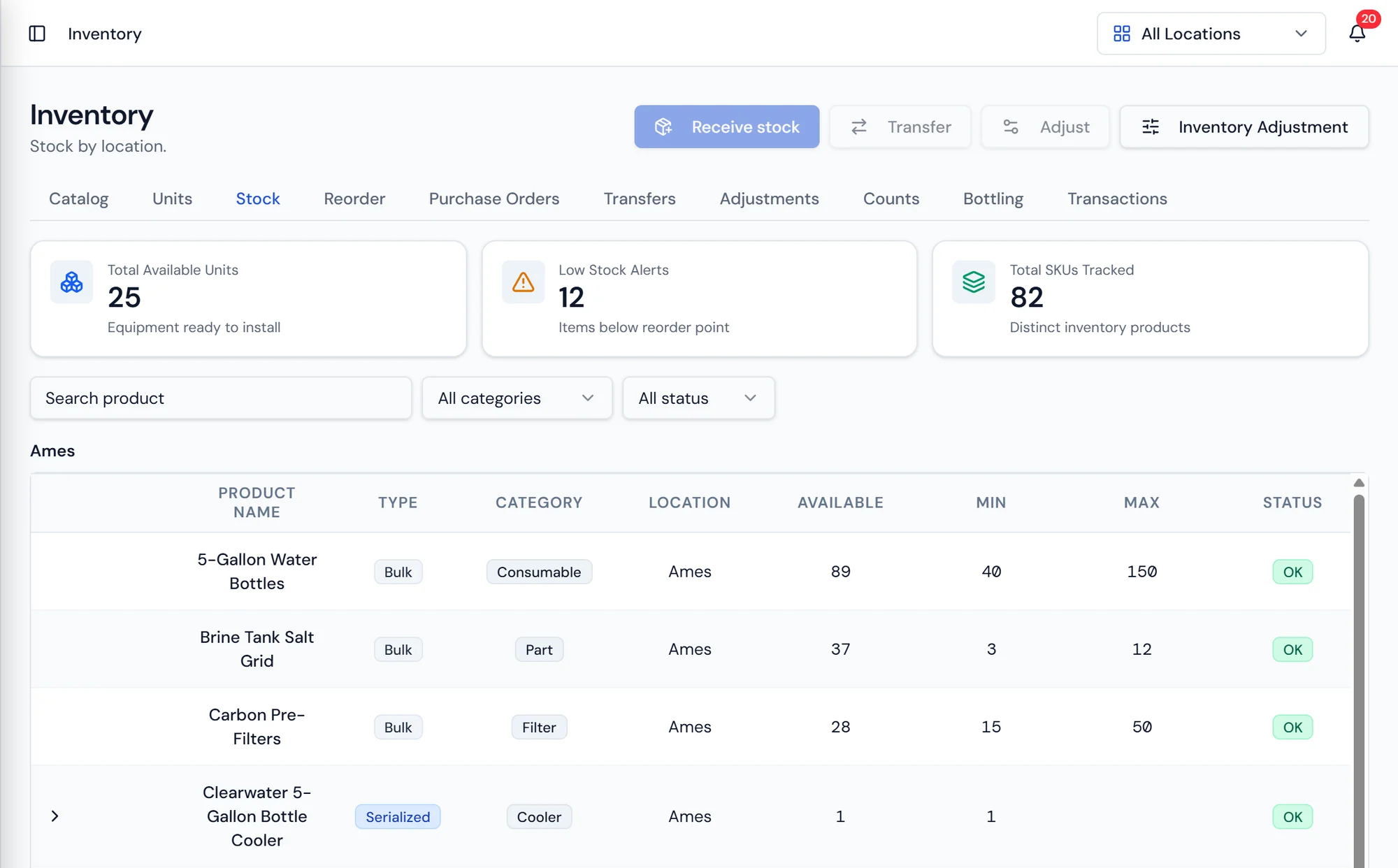
On hand stock by product and location, with low stock surfaced for reorder.
What it does
Stock that matches the shelf
Inventory in Purio belongs to a location, the same way customers, routes, and invoices do. Each location carries its own on hand quantities, its own reorder points, and its own purchasing, which is what makes a multi branch dealership readable instead of one pooled number that is wrong everywhere.
Counts, adjustments, and transfers keep those numbers honest. A physical count records what is actually on the shelf and captures the difference as an explicit adjustment with a reason, rather than quietly overwriting history. A transfer moves product between locations and adjusts both sides in one action, so the branch that borrowed forty cases in March is not still short on paper in June.
The warehouse app puts all of that on a phone. Purchase orders are received by scan as the delivery is unloaded, stock is looked up by product, SKU, or location across the warehouse and the trucks, transfers move product onto a truck or a technician, bottling runs are logged where they happen, and breakage or samples are recorded as adjustments with a note.
Purchasing runs on the same catalog. Products carry their type, category, vendor, and manufacturer, and reorder points at each location surface what needs to be bought. A purchase order goes to the vendor, and receiving it puts the stock into the right location. Open purchase orders are visible in reporting so nothing sits forgotten between ordered and received.
Bottling
Log the run, get the finished stock
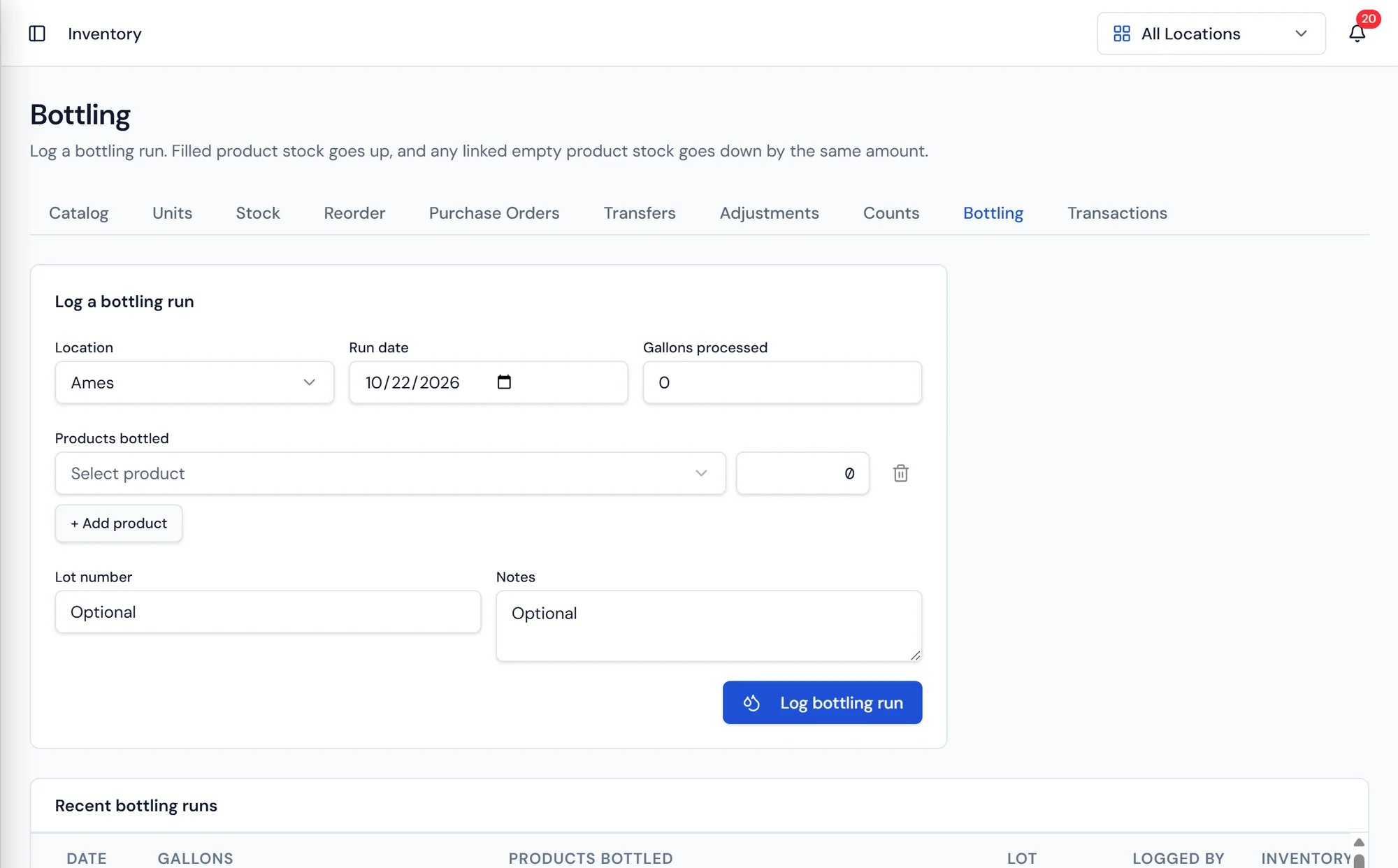
A bottling run captures the location, the products bottled, the quantities produced, and the lot numbers assigned, which is what traceability depends on if a question ever comes back about a specific batch.
Raw inventory is consumed and finished bottles are produced by the same entry, so nobody is adjusting two screens to make the numbers agree.
What's included
Stock by location
On hand quantities per product at each location in your dealership.
Counts
Record a physical count and capture the variance as an explicit adjustment.
Adjustments
Correct stock with a reason attached, so the history stays readable.
Transfers
Move product between locations and adjust both sides in one action.
Purchase orders
Order from a vendor and receive stock into the correct location.
Reorder points
Per location thresholds that surface what needs buying before you run out.
Vendors and manufacturers
Keep the supply side of the catalog straight for purchasing and warranty.
Product catalog
Products with type and category, shared by routes, work orders, and invoices.
Warehouse app
Receive by scan, look up stock, and move transfers from a phone on the floor.
Inventory and bottling questions
What moves your inventory
Count bottles once and trust the number.
Production runs, warehouse counts, and truck stock in one system.