
In the field
Mobile Apps
Route Driver App
The driver works the stop list, and the office watches it move
Drivers open the day to their assigned stops in route order from Axiom Routing, with no guessing which customer is next. Every action on the phone is written back to the route day, so dispatch sees progress without calling the truck.
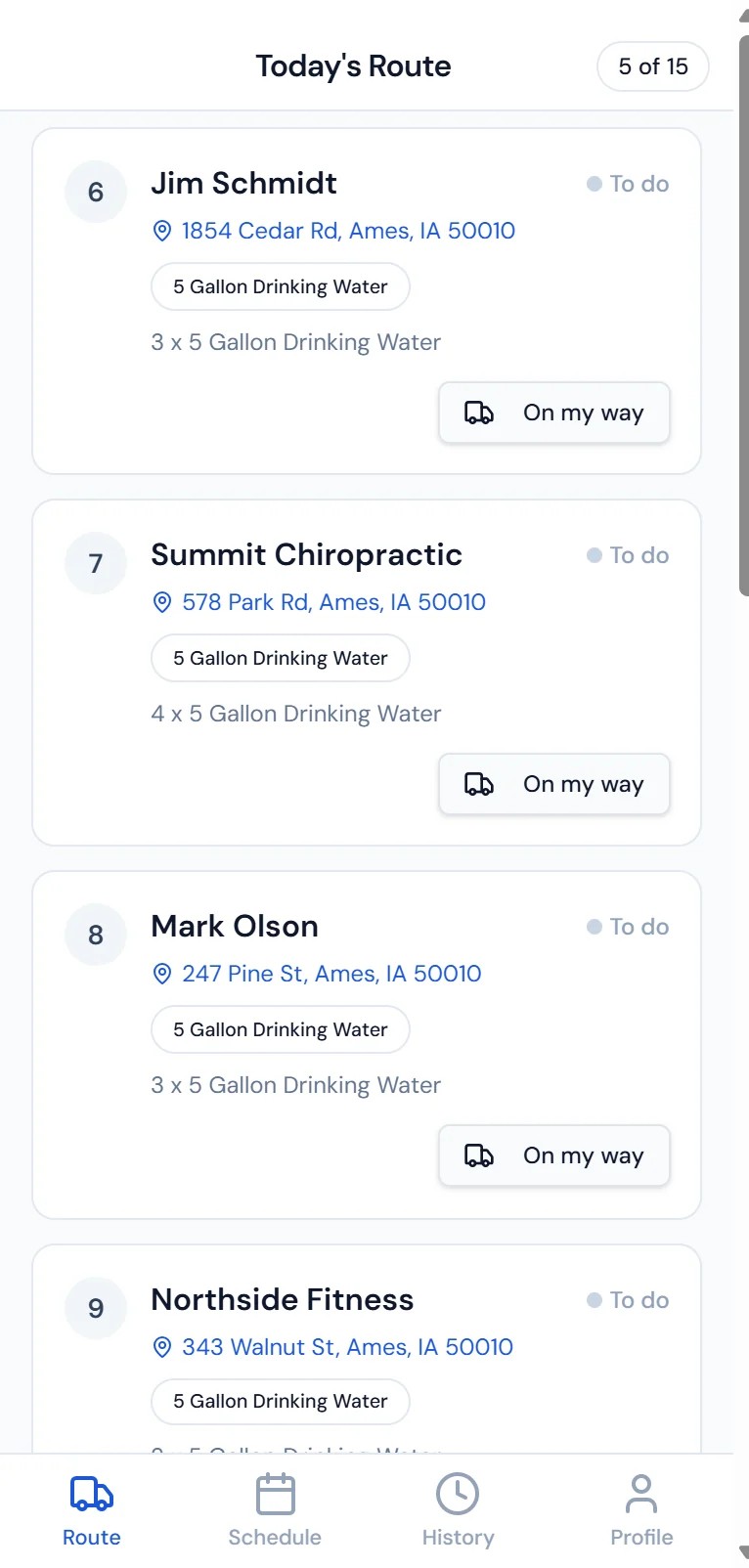
Today's stops in route order, worked one at a time.
Route aware schedule
Only this driver's stops for today, in route order from Axiom Routing.
On my way notifications
Texts the customer an ETA so they are home and ready, which cuts return trips.
Stop status tracking
Completed, skipped, or rescheduled in real time, visible to the office live.
Delivery logging
Record bottles, empties, coolers, and salt delivered, picked up, or swapped.
Proof of delivery
Capture a signature or a photo, attached to the stop for disputes later.
Field payments
Take a card or ACH payment at the door and apply it to the account immediately.
Notes and preferences
Gate codes, pet warnings, delivery instructions, and past issues before arrival.
Offline ready
Stops and deliveries sync when the connection returns, so dead zones do not stop the day.
Service Tech App
The tech arrives knowing the unit, and leaves the job ready to bill
Every assigned work order carries the customer, the property, the equipment, and the issue description. What the tech records on the job becomes the service history and the invoice, without a second pass in the office.
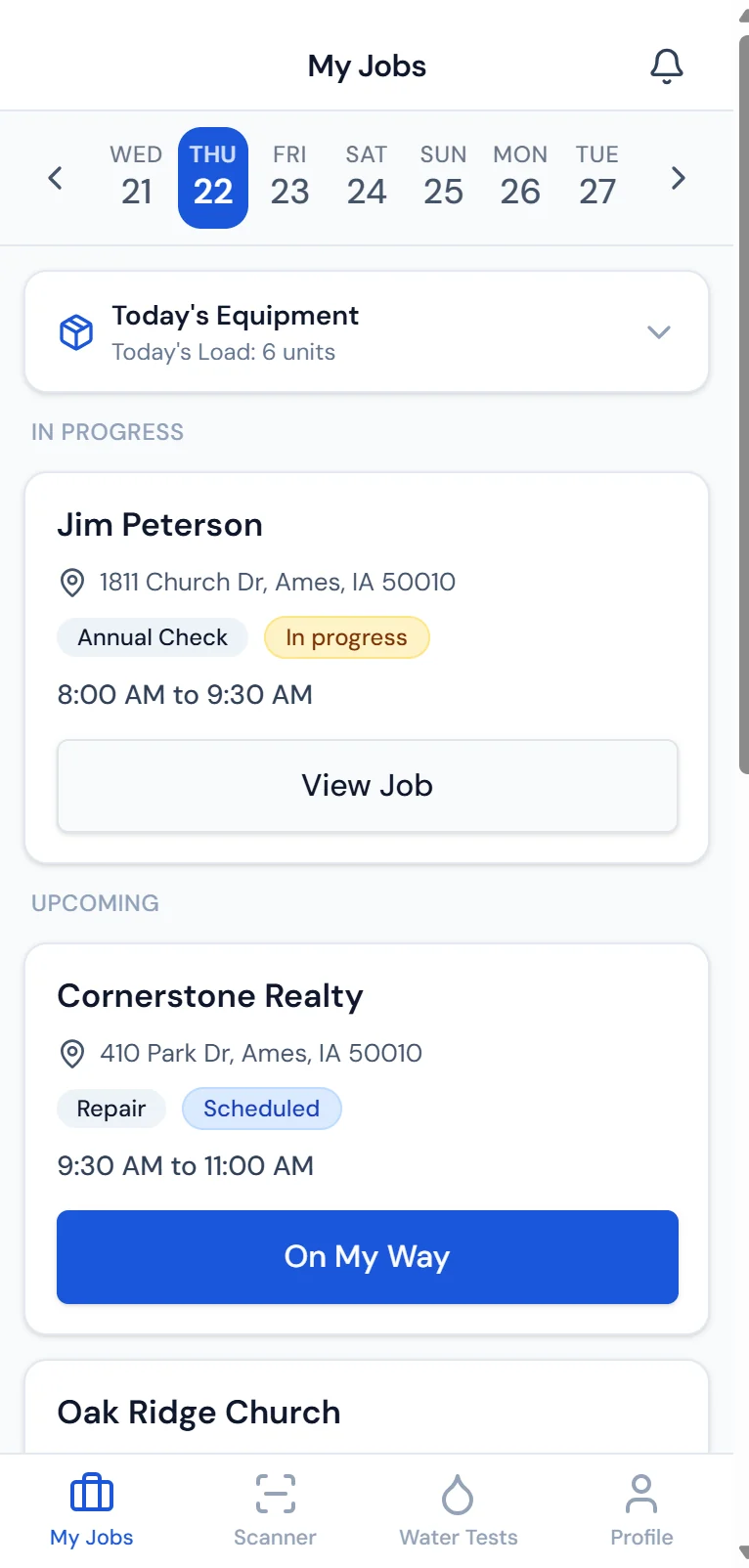
Assigned jobs for the day, each with its own job timer.
Work order dispatch
Customer, property, equipment, and issue description before the tech arrives.
Equipment scanning
Scan a serial or QR code for full history, warranty status, and recommended parts.
Water test entry
Hardness, pH, iron, TDS, and other readings recorded on site and attached to the record.
Parts and labor logging
Parts used, labor time, and trip charges added to the work order as the job happens.
Notes and photos
Condition, installation details, and recommendations documented for the next tech.
Completion triggers billing
Mark the job complete and the work order moves to ready to bill the same day.
Customer communication
Arrival updates and completion summaries sent automatically.
Job timers
Time started and stopped on the work order itself, not a payroll punch.
Sales Rep App
Quote, sign, and collect before leaving the driveway
The rep starts with today's appointments and finishes with a signed agreement and a deposit posted to the account. Because it all happens on one device, install scheduling can start the same day instead of after a trip back to the office.
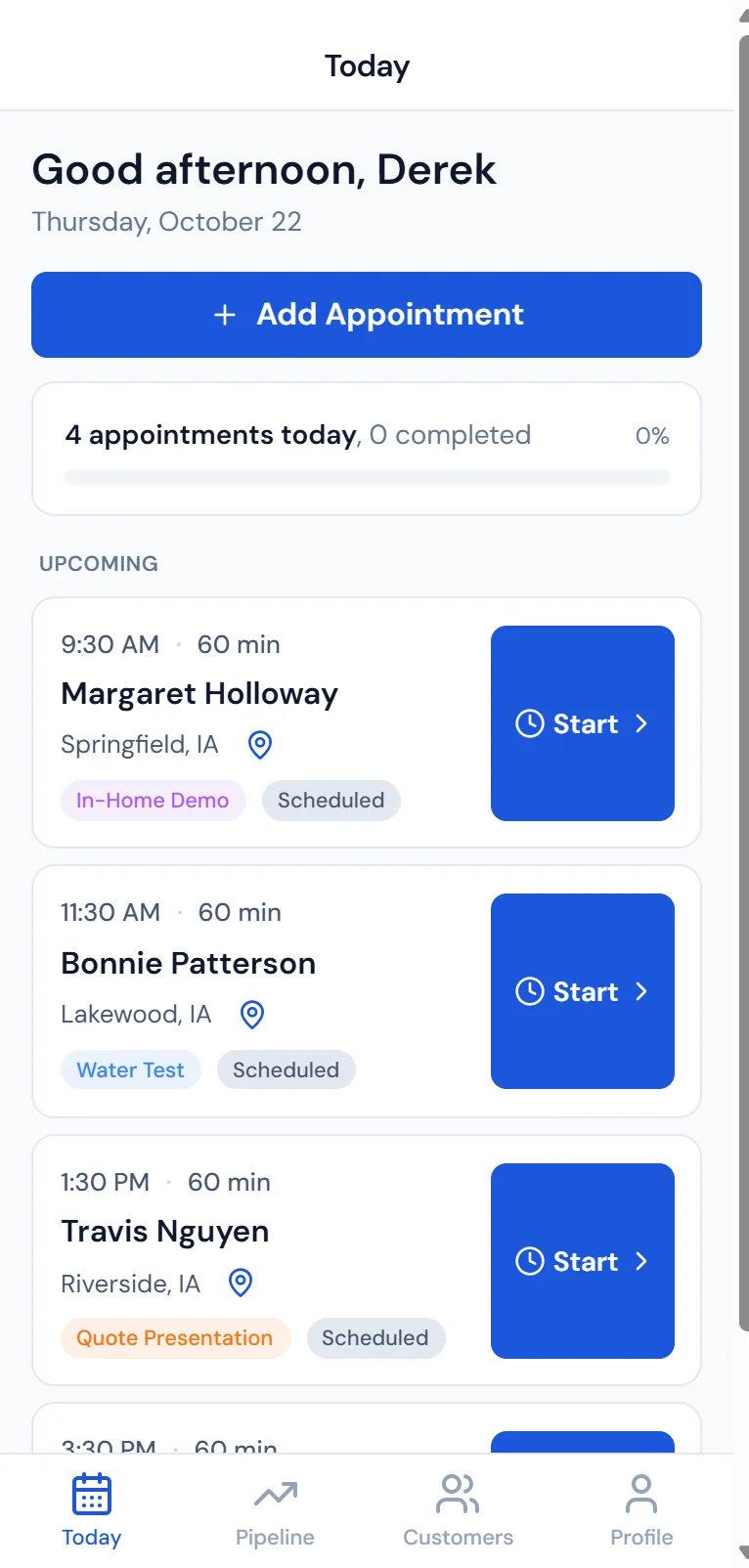
The day's appointments with a start button on each visit.
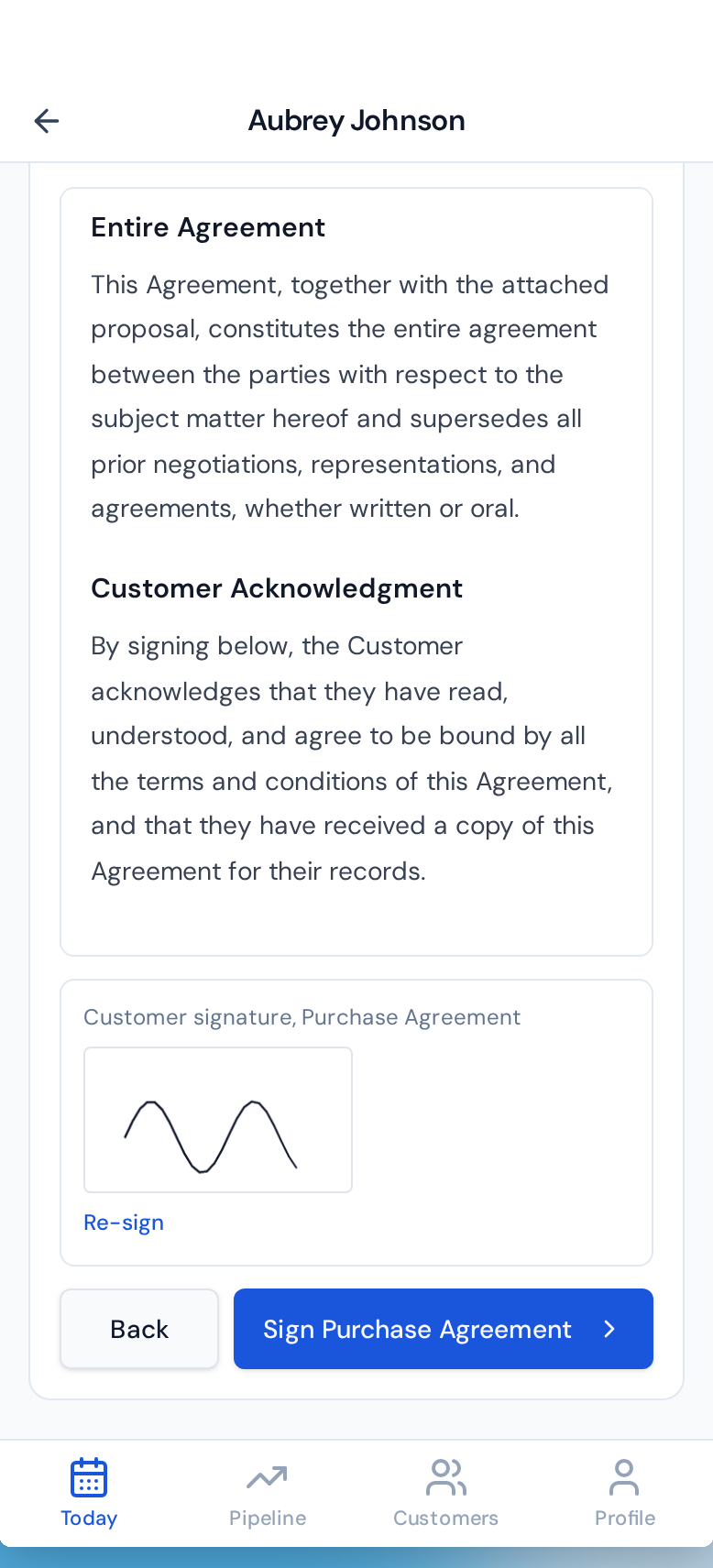
The agreement reviewed and signed on the phone.
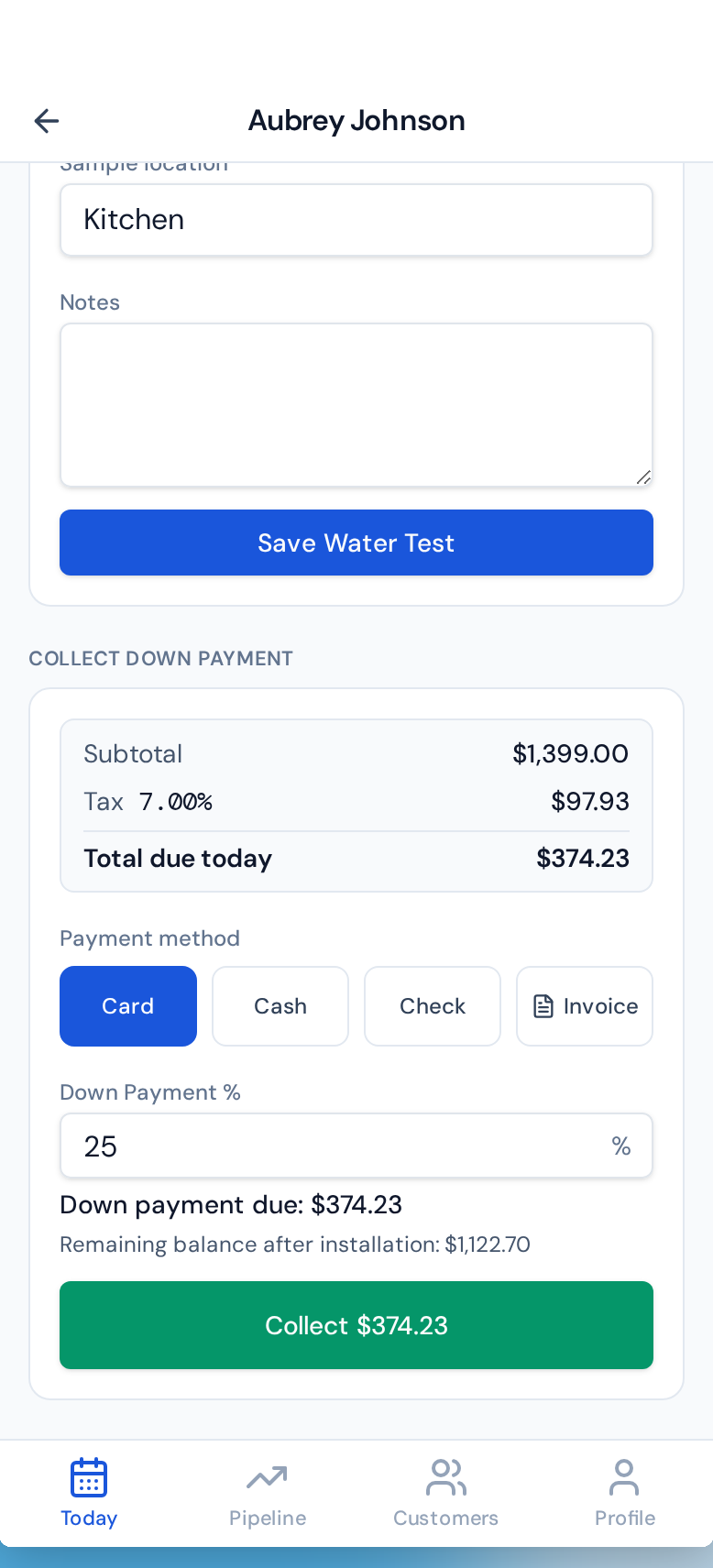
The deposit collected right after the signature.
Today's appointments
Scheduled visits with location, contact, and any notes from the office.
Customer lookup
Search the full database for account history, current services, and open invoices.
Pipeline board
Deals by stage, value, and expected close date, updated between appointments.
Quote builder
Products, rental terms, installation fees, and recurring charges priced instantly.
Agreement preview
A clean, branded agreement shown on the phone before anyone signs.
E-signature capture
The customer signs on the screen and the agreement is stored in Purio instantly.
Field payment collection
A deposit, setup fee, or first payment by card or ACH posts the same day.
Paperless close
Quote, agreement, signature, and payment on one device with no drive back.
Warehouse App
Receiving, transfers, and bottling recorded where they happen
Stock is counted where it sits, not from a desk. Purchase orders are received against the physical delivery, transfers follow product onto trucks and technicians, and bottling runs consume raw inventory and produce finished bottles in one step.
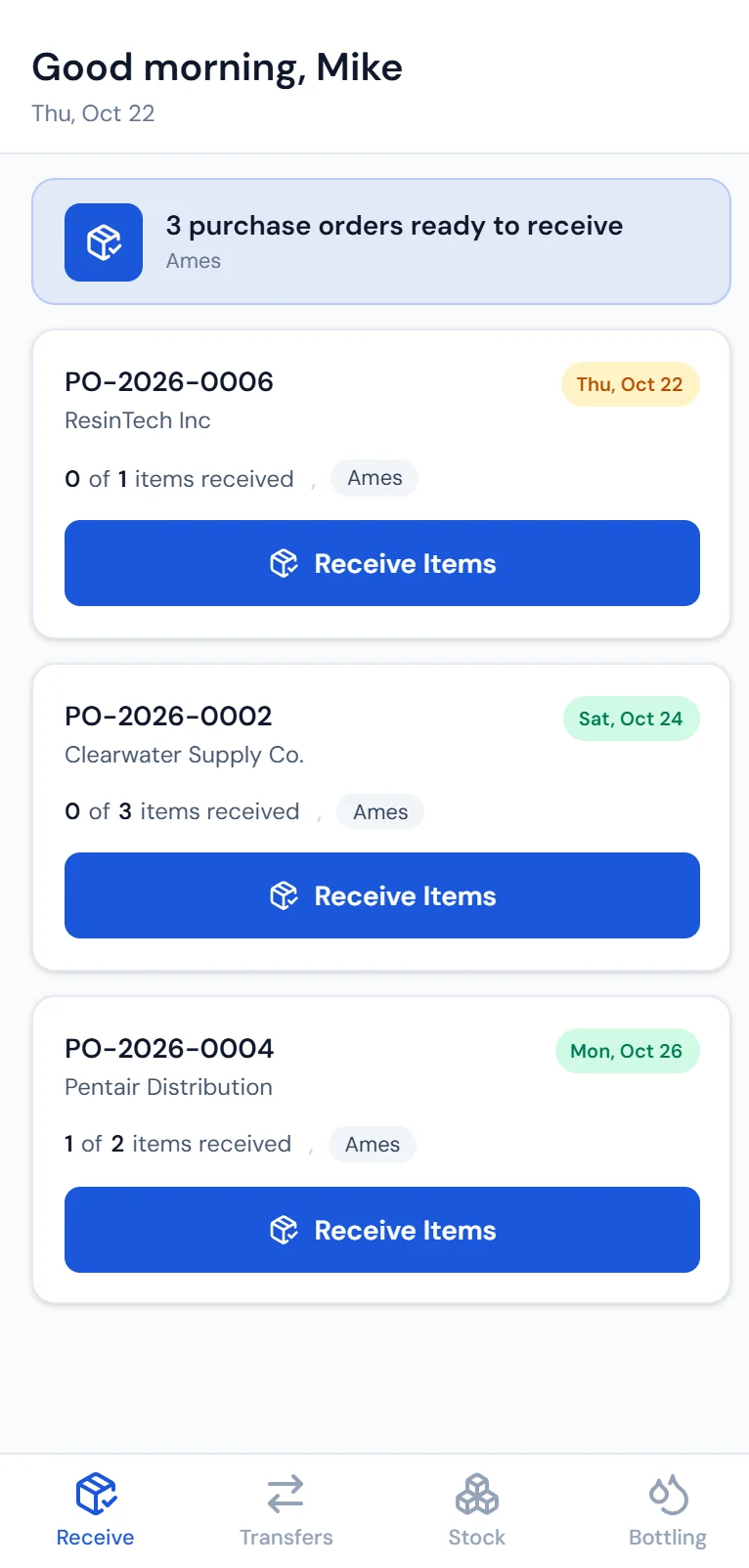
Purchase orders waiting to be received, by location.
Purchase order receiving
Open a PO, record quantities as inventory arrives, and make stock available immediately.
Receive by scan
Scan products in instead of typing SKUs, which is faster and cuts typos.
Stock lookup
Search by product, SKU, or location for on hand counts across the warehouse and trucks.
Inventory transfers
Move stock between warehouse, trucks, and technicians with every move tracked.
Bottling run tracking
Log source water, bottles filled, caps used, and empties consumed in one entry.
Adjustment logging
Breakage, samples, and count corrections recorded with notes for a clean ledger.
Location aware counts
See what is on each truck and at each location before dispatch sends anyone.
Shared inventory records
The same stock the office sees, updated the moment the warehouse touches it.
How they fit together
Four apps, one set of records
Nothing on a phone is a separate system. A driver marking a stop completed closes that stop on the route day and reports back to Axiom Routing, a tech completing a job pushes the work order to ready to bill, a rep capturing a signature files the agreement on the customer record, and a warehouse receipt raises on hand counts everywhere those counts are read.
Access follows the role. Desktop access is its own permission rather than something drivers, techs, and warehouse staff get by default, so a phone can be the only tool a person needs.
Questions about the mobile apps
What the apps write back to
Route Optimization
Optimized routes from Axiom Routing, connected to Purio and the driver app.
Learn moreScheduling and Work Orders
A calendar of work orders and service appointments by day and by tech.
Learn moreInventory and Bottling
Stock by location, purchase orders and reorder points, and bottling runs.
Learn more
Put the whole route in a driver's pocket.
Four apps, one system, no end of day paperwork.